

WHOLESALE AUTOMATION
5 wholesale order workflows to automate first
Your ERP tracks orders. Your dashboards report on sales. So why does someone on your team still have to type in a purchase order that a retailer already filled out?
The first five wholesale workflows to automate are order intake, pricing and terms, inventory updates, approvals and handoffs, and reorders. Start with order intake if your team regularly retypes orders. Capturing the right account, products, and quantities up front makes every step that follows easier.
Workflow #1
Capture wholesale orders once
Give reps and retailers a single place to enter orders. When buyers email spreadsheets, send PDFs, or text item numbers to a rep, someone has to turn those details into an order. Every time a person retypes a SKU or quantity, there’s another chance for an error.
Municipal used to track wholesale orders in spreadsheets and enter each one by hand in NetSuite. Order entry took up most of the sales team’s day. With Elastic Suite, reps write orders directly in the platform, and dealers can browse products and place their own orders.
Workflow #2
Apply each retailer’s pricing and terms automatically
Set up account-specific prices, volume discounts, payment terms, and order minimums so they apply as the rep or buyer builds the order. For example, when a retailer orders enough units to qualify for a volume discount, the order should automatically reflect that price.
The buyer can confirm the expected price before submitting the order. Your team spends less time checking price lists and resolving invoice disputes.
Workflow #3
Show available inventory before buyers order
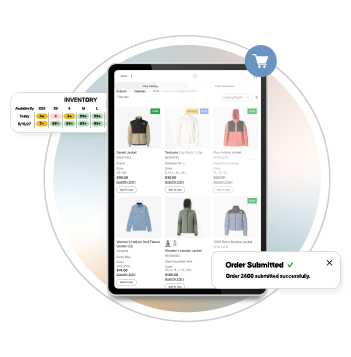
Connect inventory data to your wholesale ordering platform so reps and retailers can check availability as they build an order. If a size or color sells out, the buyer can choose another option before submitting. That saves your team from chasing down a replacement or arranging a split shipment.
PARKIT replaced email orders and static order forms with digital ordering through Elastic. Retailers can now see inventory in real time as they decide what to buy.
Workflow #4
Route approvals and fulfillment handoffs
Define which orders can move straight to fulfillment and which need review. For example, an order within a retailer’s credit limit can move ahead automatically. An order above that limit can go directly to the authorized approver.
Once an order clears review, automate the confirmation and send the details to fulfillment. No one has to monitor a shared inbox or remember to forward an approval.
Workflow #5
Make wholesale reorders easy to place
Give returning retailers access to their order history, current inventory, and account pricing in one place. A buyer restocking a best seller should be able to find the item, check availability, and submit a reorder without asking a rep for a new order form.
For Lems, reorders accounted for 68% of total wholesale GMV after the brand launched Elastic. When repeat orders represent that much of your business, the steps a buyer takes to restock deserve as much attention as the first sale.
Where to start
How to choose your first wholesale workflow to automate
Review your last 20 wholesale orders. For each one, trace what happened between the buyer saying yes and the order shipping. Where did someone retype information, look up a rule, or wait for an email? Count how often each step occurred and flag any errors or delays it caused.
Start with the most frequent manual step that follows a clear rule. If a rep checks the same price list on nearly every order, automate that lookup. If a buyer asks for custom terms on a large opening order, keep your rep involved. That’s where their judgment adds value.
Want to see how this works for your team? Schedule an Elastic demo to see how reps and retailers can check inventory, build orders with account-specific pricing, and place reorders in one wholesale platform.